Business Broadband internet services
Power your business with global broadband solutions built to meet the demands of today’s networking.
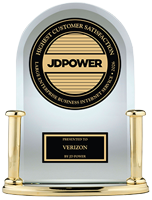
#1 in Customer Satisfaction for
Large Enterprise Internet Service
For JD Power 2026 award information, visit jdpower.com/awards
What it is
Business Broadband can deliver ultrafast internet access with the reliability needed to help boost productivity.

Technology
Business Broadband uses various technologies including wireless, cable, fiber and a range of digital subscriber lines (xDSL), depending on service location, local infrastructure and underlying carrier.
Service options
Verizon offers Business Broadband internet service through Verizon fiber optics, Verizon Wireless 5G and LTE Business Internet, and third-party resale vendors.
Global coverage
Business Broadband is available around the world, serving more than 170 countries.
Benefits
Efficient
Affordable low-latency bandwidth options for faster connections help with your business application availability.
Features
FAQs
Internet Dedicated provides enterprise-grade, Verizon-owned internet connectivity to support near real-time applications and public/private networking solutions. The dedicated connections are delivered via Ethernet or private-line circuits not shared with other customers, providing guaranteed bandwidth, SLAs and quality of service (QoS), including 100% availability and symmetrical speeds.
Shared internet access, more commonly referred to as broadband, provides connectivity via wireless or wired technologies based on location availability and customer application requirements. Broadband commonalities include shared or oversubscribed bandwidth across multiple customers, best-effort service with no SLA and asynchronous speeds.
With Verizon Enterprise Center Mobile, you have access to information you need to manage your critical business functions while on the go. You can manage your Verizon account from a smartphone or a tablet using the mobile application for single sign-on access to Verizon Enterprise Center,
Smartphone users can download an app from Google Play® or the Apple® App Store® that supports access to Verizon Enterprise Center, My Business and Verizon portals. Simply search for “My Verizon Enterprise,” download the app and conveniently launch right into Quick Tasks or sign in to your business portal for more management options. An icon is added to your phone’s home screen for easy access the next time you log in. Requirements are as follows:
- App Store: Apple iPhone® models that have at least a 13.x iOS version in the U.S. on any carrier or Wi-Fi network.
- Google Play: Selected devices using an operating system of Android™ 5 or higher in the U.S. on any carrier or Wi-Fi network
You can also access Verizon Enterprise Center Mobile with a tablet by signing into a browser-based application at https://www.verizon.com/business/support/verizon-enterprise-center-customer-portal/. The tablet functionality will be the same as the smartphone app, supporting key business functions that vary by the users’ portal and permissions. Accessing the Verizon Enterprise Center from a mobile device or tablet will not provide the same options as the desktop version.
Verizon Enterprise Center portal users can use Quick Tasks for repairs, billing and some wireless functions, or sign in to get access to key business functions delivering near real-time information to you.